How to Choose a USB Temperature Data Logger?

Choosing a USB temperature data logger is not just a matter of picking the lowest price or the largest memory. The right device must match the temperature range, recording interval, accuracy, and environment you need to monitor. A logger placed beside a refrigerated display may face frequent door openings and rapid temperature changes. One used in a warehouse may need long battery life and enough memory for weeks of readings.

Measurement pioneer Lord Kelvin is often credited with the principle, “When you can measure what you are speaking about, and express it in numbers, you know something about it.” That idea applies directly here. A reliable USB temperature data logger turns changing conditions into records you can review, but only when its sensor and settings suit the job. Small details matter.

Check the stated accuracy, calibration information, probe design, and software requirements before buying. Some models connect directly to a computer; others need a separate probe or configuration tool. Think about the whole workflow. Who will download the readings? How often? Can they interpret the graph without extra software? These questions are easy to overlook.

There is no perfect logger for every setting. A device with excellent accuracy may have limited memory, while a simple model may be awkward to configure. That trade-off deserves a second look. This guide explains how to compare key specifications, avoid common selection mistakes, and choose a logger that produces useful, dependable temperature records.
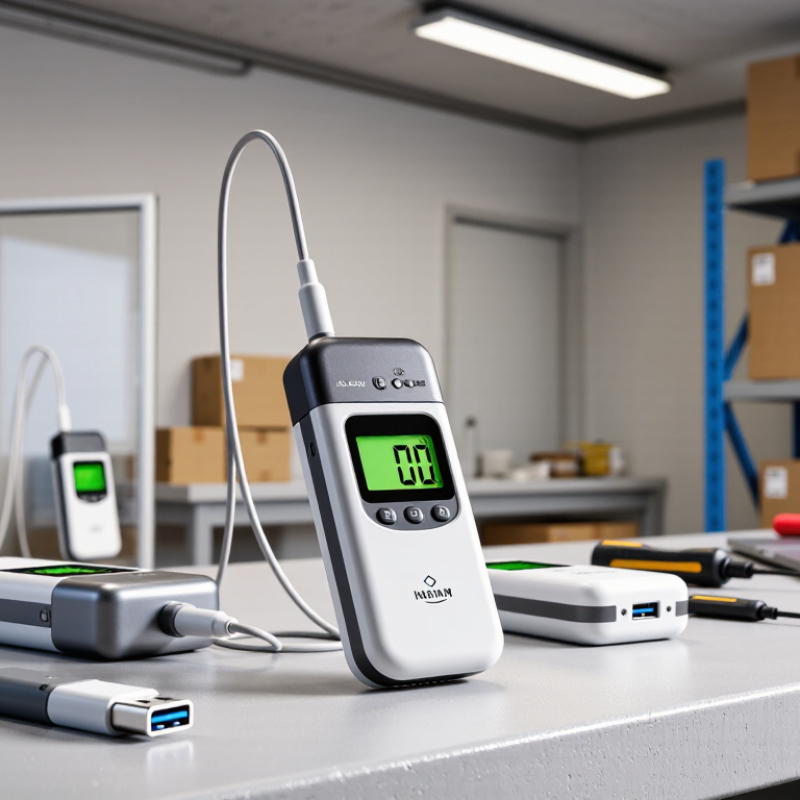
How to Choose a USB Temperature Data Logger?

Identify the Temperature Range and Accuracy You Need

A USB temperature data logger should cover the temperatures your product or process will actually experience, with room for brief extremes. For a chilled cabinet running near 4°C, a logger rated from about -10°C to 40°C may be more useful than one designed for deep-freeze storage. Check the full operating range, not just the number shown on the screen. A device can display a reading yet perform less accurately near the edge of its range.

Accuracy is different from resolution. A display that changes in 0.1°C steps may still be accurate only to ±0.5°C. Match the stated accuracy to the variation your process can tolerate. If a small temperature shift matters, compare the logger’s specification at your expected operating temperature and review its calibration information. Keep the probe in the same location as the material being monitored; a sensor beside a cold air vent can report a misleading picture. Placement matters.

Also consider short temperature spikes during loading or door openings. A wider range may help capture them, but it does not guarantee reliable readings at every point. One detail is easy to overlook: accuracy can change with temperature, and specifications may assume particular conditions. Read the fine print. If your required tolerance is unclear, measure a typical cycle and discuss the limits with a qualified calibration provider before choosing.
Choose the Sampling Interval and Storage Capacity

How to Choose a USB Temperature Data Logger?

Choose the sampling interval based on how quickly the temperature may change. For a stable storage room, readings every 10 or 15 minutes may be enough. For a cooler door that opens often, a shorter interval can reveal brief warming. A logger set to record every five minutes captures 288 readings per day. There is no perfect interval; tighter spacing gives more detail but fills memory faster.

Check the logger’s usable storage before leaving it unattended. At five-minute intervals, a 30-day run needs 8,640 readings for one temperature channel. Multiple channels or extra recorded values can increase that count. Allow some spare capacity, and confirm how the device handles a full memory: it may stop recording or overwrite older readings. That detail is easy to miss. Also consider battery life, since frequent readings can affect how long the logger operates.

Tips: Estimate the monitoring period first, then divide available readings by expected readings per day. Test the chosen settings for a day before deployment. Review the file afterward; an interval that looked sensible on paper may still miss the changes you care about.

Check USB Compatibility, Software, and Data Export Options

A USB temperature data logger should connect easily to the computer you actually use. Check whether it has a USB-A or USB-C connector, and whether an adapter is required. A plug that fits does not guarantee that the logger’s software will work with your operating system. Check the supported versions before buying, especially if the computer is managed by an IT team. That detail matters. Also confirm whether setup requires administrator access or an internet connection. These requirements can be easy to miss.

Review the software and export options before choosing a model. Can you view readings as a graph, check alarm events, and set the sampling interval? Look for exports in practical formats such as CSV or PDF, and check whether timestamps, units, and device details remain attached to the data. Test a sample file if possible. Not always. Some files look readable but need extra steps before they can be shared or analyzed. Think about your routine: a spreadsheet may suit occasional checks, while recurring reports may need cleaner, repeatable exports. It is tempting to focus only on temperature range, but compatibility and data handling can shape daily use just as much. A small software limitation may become a regular annoyance.

Match the Logger’s Design to Its Operating Environment

How to Choose a USB Temperature Data Logger?

Match the Logger’s Design to Its Operating Environment

Start with the conditions around the measurement point, not just the temperature range. A logger near a freezer door may face condensation, bumps, and frequent handling. One inside a dry storage room has different needs. Check the operating and storage limits, then allow a margin for brief temperature swings. Small details matter.

Choose a probe and enclosure that suit the location. A cable probe can keep the logger outside a cold cabinet while its sensor sits among the products. For damp spaces, look for a suitable ingress-protection rating and verify whether it applies to the whole device or only the probe. In hot or vibrating settings, confirm that the logger can tolerate those conditions. A casing that looks sturdy may still have a vulnerable USB port.

Think about how staff will retrieve the data. If the logger is mounted behind stacked cartons, USB access may be awkward. Access is often awkward. Consider memory capacity, battery life, sampling interval, and whether readings can be downloaded without removing the sensor. Short intervals capture quick changes but use memory faster. For critical monitoring, check calibration documentation and establish a routine for reviewing results.

No enclosure suits every site; sometimes a modest, protected setup works better than an elaborate logger that is difficult to reach.

Verify Calibration, Compliance, and Long-Term Costs

A USB temperature logger is only useful when its readings can be trusted. Check its calibration certificate for the test date, measurement range, uncertainty, and traceability to national standards. The CDC’s Vaccine Storage and Handling Toolkit calls for digital data loggers accurate to within ±0.5°C and recommends calibration testing every two to three years, or as specified by the manufacturer. Those figures offer a practical benchmark, though your application may require tighter limits. Small detail. Check the actual operating range, too: a certificate covering room temperature may not validate readings in a freezer.

Compliance depends on the records you need, not the USB connector. Confirm that the logger exports timestamps, readings, and alarm events in a format your quality process accepts. Keep calibration certificates and review whether electronic records need extra controls under your applicable rules. A polished export can still leave gaps. Test the full workflow, including whether staff can retrieve a month-old file without relying on one person’s laptop.

Compare long-term costs, not just purchase prices. Include recalibration, replacement probes, software fees, batteries, and staff time spent downloading files. A low-cost unit may become expensive if its memory fills quickly or its probe drifts outside tolerance. I would not assume recalibration costs are predictable; get written service prices and turnaround times. The CDC guidance provides useful benchmarks, but it does not replace a risk-based assessment of your own storage conditions.

How to Choose a USB Temperature Data Logger?

Verify calibration, compliance, and long-term costs. First, make sure the logger’s calibrated operating range covers the temperatures you need to monitor.

How to use this chart: These CDC vaccine-storage ranges are examples, not universal requirements. Choose a logger and probe that cover your full operating range with suitable accuracy. Check calibration documentation and traceability against your applicable requirements, then compare ongoing calibration, battery, software, and replacement costs.

Source: CDC Vaccine Storage and Handling Toolkit. Temperatures shown in °C.