How to Choose the Best Temperature Data Logger in 2026?

Choosing the best temperature data logger in 2026 takes more than comparing prices or screen sizes. The right choice depends on what you monitor, how often readings are needed, and what you must do when temperatures drift. A logger used in a refrigerated delivery van faces different demands from one installed in a laboratory cabinet or warehouse. Small details matter. A probe that responds too slowly may miss a brief temperature spike, while a device with limited memory may overwrite useful readings before anyone reviews them. The lowest price can become an expensive compromise.

Start with the measurement range and accuracy your application actually requires. Then consider calibration options, recording intervals, battery life, storage capacity, and how readings are transferred. Bluetooth may suit quick checks nearby; remote monitoring can help when staff cannot regularly inspect equipment. Yet connectivity is not a substitute for dependable sensors or a clear response plan. Ask how the device signals an alarm, whether its software creates readable reports, and how easily staff can verify its setup. Check manufacturer specifications and calibration documentation rather than relying on broad marketing claims. Requirements differ by industry and location, so confirm applicable guidance with qualified professionals.

This guide compares these practical factors to help narrow the options. It also considers ease of use, ongoing costs, and the quality of supporting documentation. A logger can look excellent on a product page and still frustrate a busy team. There is no universal winner. The best temperature data logger is the one that reliably captures the conditions you need, fits your workflow, and makes its data clear enough to act on.
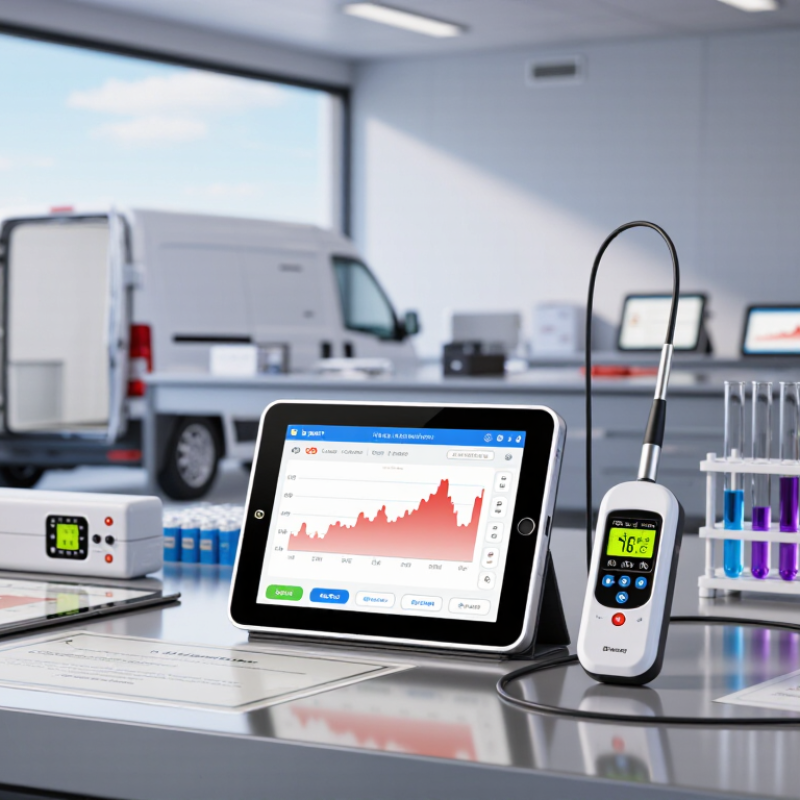
How to Choose the Best Temperature Data Logger in 2026?

Define the Monitoring Range: CDC Vaccine Guidance Uses 2–8°C

How to Choose the Best Temperature Data Logger in 2026?

Define the Monitoring Range: CDC Vaccine Guidance Uses 2–8°C

For refrigerated vaccines, the CDC storage range is 2–8°C. Choose a logger that measures accurately across this range, not merely one whose display includes those numbers. CDC guidance recommends a digital data logger with an accuracy of ±0.5°C. A buffered probe can better reflect vaccine temperature than air temperature alone. Small differences matter. A reading near either limit deserves attention, not guesswork.

Check the logger’s calibration documentation and confirm its recording interval suits your monitoring procedure. CDC guidance calls for readings at least every 30 minutes. Also consider alarms, downloadable records, and whether staff can review minimum and maximum readings quickly. A logger can meet the range on paper and still be poorly placed. Position the probe where your procedure specifies, away from doors and cooling vents; document any changes.

Tips: Test the alarm before relying on it. Keep the probe in its intended buffer, and compare displayed readings with the calibration record. If a reading approaches 2°C or 8°C, follow your site’s response procedure and check the unit’s conditions. The screen is only part of the record.
Set Accuracy and Calibration: CDC Recommends DDL Accuracy of ±0.5°C

When comparing temperature data loggers in 2026, look beyond display size and wireless features. CDC recommends digital data loggers with accuracy of ±0.5°C for vaccine storage monitoring. That tolerance matters: a reading of 5°C could represent a temperature slightly above or below that value. Check the device specifications, not just the number of decimal places on its screen.

Accuracy and calibration are related, but they are not the same. Accuracy describes how close a reading should be to the actual temperature; calibration checks the logger against a reference standard. Ask for a current calibration certificate and confirm that it identifies the device and calibration date. Follow the manufacturer’s calibration interval and your monitoring program’s requirements. Keep the certificate with service records, where staff can find it.

Placement matters too. In a refrigerator, position the sensor near stored materials without letting it touch a wall or cooling vent. A buffered probe can help reflect product temperature rather than brief air swings when the door opens. Set alarms for your required range, then test that alerts reach the person responsible. Small setup details are easy to miss. Review downloaded readings regularly; a precise logger cannot correct a probe placed in the wrong spot.

How to Choose the Best Temperature Data Logger in 2026? — Set Accuracy and Calibration: CDC Recommends DDL Accuracy of ±0.5°C

Selection Dimension Recommended Specification or Check Why It Matters
Measurement accuracy Choose a digital data logger (DDL) with accuracy of ±0.5°C (±1°F) or better. CDC recommends DDL accuracy of ±0.5°C (±1°F) for vaccine temperature monitoring. Check that the stated accuracy applies across the temperatures you need to monitor.
Calibration documentation Request a current calibration certificate with the logger’s identification, calibration results, and traceability information. Documentation helps verify that the instrument’s readings have been checked against recognized temperature standards. Follow applicable program guidance for calibration testing and record retention.
Recording interval Use an interval of 30 minutes or less for vaccine storage monitoring. Frequent readings make it easier to identify temperature changes and review how long conditions were outside the recommended range.
Temperature range Confirm the operating and measurement range covers the equipment being monitored. For standard vaccine storage, check suitability for refrigerator temperatures of 2°C to 8°C and, where applicable, freezer temperatures of −50°C to −15°C. A logger must measure reliably throughout the relevant storage range; a refrigerator-only model may not be appropriate for a freezer.
Probe design For vaccine units, select a probe buffered with a suitable material, such as glycol, glass beads, or sand, when specified by the applicable guidance. A buffered probe helps the measurement better represent the temperature of stored vaccines rather than brief changes in surrounding air temperature.
Current and min/max readings Choose a logger that displays or provides access to current, minimum, and maximum temperatures. These readings support routine checks and help staff review temperature changes since the previous reset or review.
Alarms and notifications Consider audible or visual alerts for out-of-range temperatures, low battery, and probe faults; confirm alarm limits can be set for the application. Alerts can help staff respond promptly, but they do not replace regular review of readings and documented response procedures.
Data access and retention Check that recorded data can be downloaded or reviewed, includes date and time information, and can be retained in a usable format. Accessible records make it easier to document routine monitoring, investigate excursions, and maintain required storage records.
Power and probe-failure safeguards Look for a low-battery indicator and a clear way to identify missing, interrupted, or invalid readings. A gap in monitoring can leave storage conditions uncertain. Establish a routine for checking device status and replacing batteries as needed.

Note: Confirm current requirements with the relevant public health program and the data logger’s documentation before purchase or use.

Choose the Logging Interval: CDC Recommends Readings Every 30 Minutes or Less

For vaccine storage, CDC recommends digital data loggers record temperatures at least every 30 minutes. That interval provides a useful baseline when comparing devices. A logger set to hourly readings may miss a brief door-opening spike or a cooling problem between samples. Choose a model that supports 30-minute readings or more frequent recording, then verify the setting during setup. Small detail. Check that its memory can retain data through weekends or power interruptions, and that exported records clearly show dates, times, and temperatures.

More frequent sampling can reveal rapid changes, but it also creates more data to review and may shorten battery life. Match the interval to the monitored space, equipment stability, and your written procedures; one setting may not suit every use. Place the probe near the stored products most at risk, not against a wall or beside a vent. Compare several days of logger readings with manual checks, and investigate unexplained gaps or sharp swings. Perfect records are unlikely. A missed upload, loose probe, or incorrect clock can undermine sound monitoring, so include these checks in routine review. Confirm the current CDC guidance for your program before settling on an interval.

Check Applicable Standards: EN 12830 and ISO/IEC 17025 Calibration

When choosing a temperature data logger in 2026, check whether EN 12830 fits your use case. It covers temperature-recording equipment used in chilled and frozen food transport, storage, and distribution. It is not a universal quality mark for every logger. Match its scope to your route, product, and operating range. A logger beside frozen cartons may face different conditions from one mounted in a refrigerated room.

Then examine the calibration evidence. ISO/IEC 17025 addresses the competence of testing and calibration laboratories; it does not certify a logger by itself. Check whether the laboratory’s accreditation scope covers temperature measurement, your required range, and relevant calibration points. A certificate showing results near 0°C and 5°C may not support a process operating at -25°C. Review measurement uncertainty, traceability, calibration date, and instrument identification. Small details matter.

Look for “as-found” and “as-left” results when available, especially after a logger has been dropped or exposed to vibration. Compare the stated uncertainty with your acceptable process tolerance; display resolution alone proves little. Test the logger in its actual mounting position, too. Door openings, airflow, and probe placement can shift readings. A polished certificate can still leave a gap between laboratory results and field performance. That deserves a second look.

Match Probe, Alarm, and Connectivity Features to Your Site Needs

Choosing the best temperature data logger in 2026 starts with the probe, not the display. For vaccine storage, CDC’s Vaccine Storage and Handling Toolkit recommends a digital data logger accurate to ±0.5°C, with readings recorded every 30 minutes or less. A buffered probe better reflects product temperature than a sensor exposed to brief door-opening drafts. WHO guidance places many refrigerated vaccines within 2–8°C, so confirm that the logger’s range and probe suit your actual storage conditions. A freezer, loading dock, and refrigerated cabinet do not need the same setup.

Match alarms and connectivity to the site. A small clinic may need a clear audible alarm and a simple download routine. A multi-room warehouse may benefit from remote alerts, shared access, and a record of who responded. Check what happens during Wi-Fi or power loss; connectivity is not a backup plan. Also verify calibration documentation and sensor placement before deployment. A logger mounted beside a cold-air outlet can produce misleading readings. That mistake is easy to miss.

Tips: Place the probe near stored goods, test alarms with staff, and review a sample data export before routine use. Keep the setup practical. Extra features can help, but only if someone checks alerts and acts on them.

Sources: CDC, Vaccine Storage and Handling Toolkit; WHO, Immunization in Practice.