10 Tips for Choosing Temperature and Humidity Logger

Choosing the right temperature and humidity logger can protect products, equipment, and research results from unnoticed environmental changes. A warehouse may look stable, while a sensor near a loading door records sharp humidity spikes every afternoon. Those details matter when storing medicines, food, electronics, museum objects, or laboratory samples.

This guide presents ten practical tips for selecting a temperature and humidity logger with confidence. It examines measurement range, accuracy, calibration records, response time, memory capacity, battery life, software, alarms, durability, and data export options. A logger should match the environment, not merely fit a budget. A cold room needs different protection from a dusty production floor. Placement also affects results. A sensor hidden behind cartons may report a misleadingly comfortable reading.

Real-world use often exposes weaknesses that product sheets do not mention. I have seen reliable-looking devices lose data after poor battery planning or confusing software settings. Small mistakes become expensive later. No logger is perfect. Even a well-calibrated instrument needs sensible placement, routine checks, and clear operating procedures. This article therefore balances technical specifications with practical experience and evidence-based selection. It also encourages careful reflection: is the device truly accurate enough for your process, or does it simply offer attractive features? With the right questions, businesses can choose a dependable temperature and humidity logger that creates traceable records and supports better decisions over time.
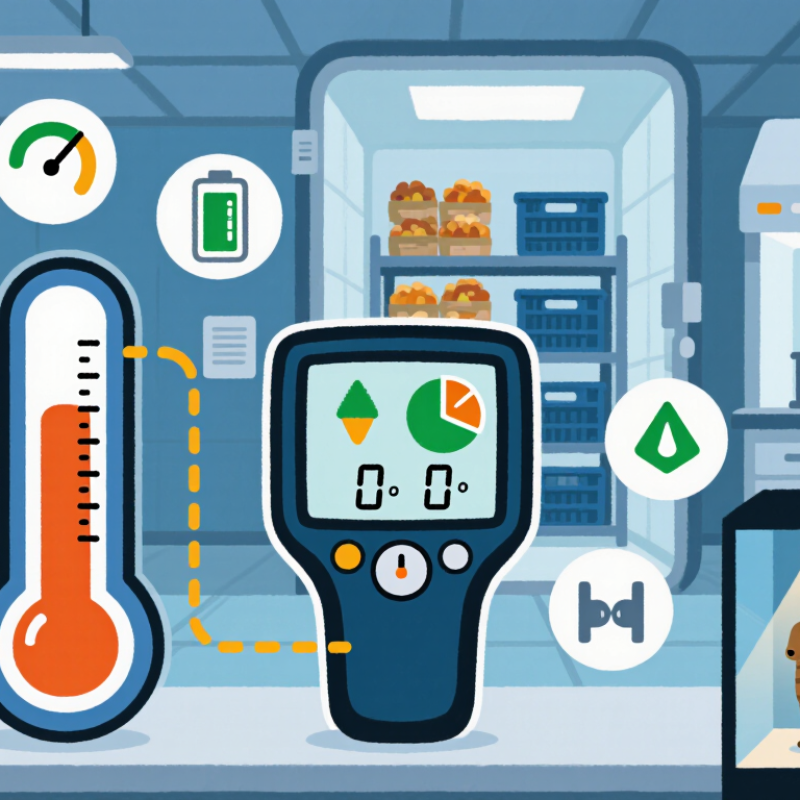
10 Tips for Choosing Temperature and Humidity Logger

Define Monitoring Requirements: Temperature Ranges, ±0.5°C Accuracy, and ±3% RH

10 Tips for Choosing Temperature and Humidity Logger

Define Monitoring Requirements: Temperature Ranges, ±0.5°C Accuracy, and ±3% RH

Choosing a logger starts with the storage environment, not the device display. Record the lowest and highest expected temperatures, including transport, loading, and overnight conditions. The World Health Organization’s Technical Report Series No. 961 identifies 2°C to 8°C as a common controlled range for temperature-sensitive health products. Your logger should cover this range comfortably, with extra margin for excursions. A narrow range can hide real problems.

Accuracy must match the risk. A specification of ±0.5°C can be suitable for many controlled storage areas, but only when verified across the working range. Ask for calibration results at several points, not one convenient temperature. NIST Technical Note 1297 explains that measurement uncertainty includes more than sensor accuracy. Resolution, drift, and calibration conditions matter too. Small details matter.

Humidity deserves equal attention. The ASHRAE Handbook commonly references 30% to 60% RH for indoor comfort, but sensitive materials may require tighter limits. A logger rated at ±3% RH can support this work if its operating range matches the site. Check condensation resistance, sensor placement, and recalibration intervals. I have seen clean dashboards conceal poorly positioned sensors. That mistake is easy to repeat. A perfect specification still fails when the probe sits beside a door, vent, or warm motor.
Compare Sensor Technologies, Calibration Cycles, and ISO/IEC 17025 Traceability

10 Tips for Choosing Temperature and Humidity Logger

A reliable logger starts with the sensor, not the display. Compare RTD, thermistor, and semiconductor technologies for temperature measurement. RTDs usually offer strong stability, while thermistors can provide excellent sensitivity across narrower ranges. For humidity, capacitive sensors are common, but their accuracy may change after condensation or chemical exposure. Check the stated range, response time, resolution, and long-term drift. Small details matter in a cold room.

Calibration deserves equal attention. Ask whether the interval reflects actual use, not only a standard twelve-month schedule. Frequent door openings, high humidity, and temperature cycling may require shorter cycles. I once trusted a yearly interval without reviewing field conditions. That decision was not perfect. Compare calibration points with your operating range, and examine measurement uncertainty at each point. A certificate should identify the instrument, procedure, environmental conditions, and results clearly.

ISO/IEC 17025 traceability adds confidence, but the phrase alone proves little. Confirm that calibration was performed by an accredited laboratory within the relevant scope. Look for traceability to national or international measurement standards, including reference standards and uncertainty statements. Keep calibration certificates with deployment records, alarm settings, and maintenance notes. A logger can be technically impressive yet poorly controlled. Review the data after every calibration cycle, especially when readings seem unusually stable. That may indicate either excellent performance or a sensor problem.

10 Tips for Choosing a Temperature and Humidity Logger

Comparison of common temperature-sensor technologies by approximate measurement range. Actual logger performance depends on the probe construction, electronics, environmental conditions, and calibration method.

Thermistors typically provide high sensitivity over a narrower range, while RTDs and thermocouples cover wider temperature ranges. For regulated applications, define a risk-based calibration cycle, review drift history, and request calibration certificates with measurement results and ISO/IEC 17025 traceability to national or international standards.

Select Logging Intervals, Memory Capacity, and 1-Minute Sampling Needs

Choosing a temperature and humidity logger starts with the measurement question, not the device’s feature list. In storage rooms, I often use a five-minute logging interval when conditions change slowly. It captures daily cycles without filling memory too quickly. A cold-chain transfer needs tighter control. A one-minute interval can reveal short warming events when doors open or containers move between vehicles. Short intervals create larger files, though. Check the logger’s memory before deployment, especially for multi-week monitoring. A simple calculation prevents an avoidable gap: readings equal monitoring minutes divided by the interval. Then add both temperature and humidity channels.

Sampling rate and logging interval are not always the same. Some instruments sample internally every minute but store an average every fifteen minutes. That may smooth a brief spike and hide a handling problem. Ask whether the unit records instantaneous values, averages, minimums, or maximums. For a one-minute requirement, confirm the actual stored timestamp spacing after a short bench test. I usually place the logger near the product zone, away from vents and direct sunlight. Let it run overnight. Compare its readings with a recently verified reference instrument, while recognizing that no field setup is perfect. Sensors can drift, and condensation can distort humidity readings.

Memory planning should include startup delays, downloaded files, and unexpected extensions to the study. I once planned a ten-day test too tightly and forgot the weekend, leaving little reserve capacity. That mistake changed my checklist. Now I choose at least twenty percent extra memory and battery life when conditions permit. Keep the interval consistent unless the logger supports a documented schedule. Record the selected interval, sensor position, calibration status, and time zone before deployment. Clear records make later review more credible, even when the data is inconvenient.

Evaluate 21 CFR Part 11 Compliance, Data Integrity, and Cloud Alerts

Choosing a temperature and humidity logger involves more than checking its measurement range. For regulated environments, evaluate whether the system supports 21 CFR Part 11 controls. Look for unique user accounts, role-based permissions, secure electronic signatures, and a time-stamped audit trail. Every changed limit should show who made the change and why. That detail matters during an inspection.

Data integrity also depends on the complete workflow. The logger should record readings continuously, preserve original data, and identify gaps caused by power loss or communication failure. Exported reports should retain timestamps, units, device identity, and calibration status. Test the process with a simulated network outage. Does the device store readings locally and upload them correctly later? Small failures expose weak designs. I have seen teams trust a green dashboard while ignoring an uncalibrated sensor.

Cloud alerts can reduce response time, but only when they are specific. Set separate thresholds for warning and critical conditions. Route alerts to named staff through email, text, or another approved channel. Confirm that repeated alerts do not create fatigue. Review escalation logs regularly. A useful system records acknowledgement, response time, and corrective action. Avoid choosing software solely because it promises instant notifications. Internet access can fail, and alert rules can be misconfigured. A practical evaluation includes user training, documented validation, periodic access reviews, and recovery tests. The perfect setup rarely exists. Careful testing still prevents avoidable surprises.

Verify IP Ratings, Battery Life, and Performance Across 0–95% RH

When choosing a temperature and humidity logger, verify performance across the full 0–95% RH range. Do not trust the headline range alone. Check accuracy at low, middle, and high humidity points. The WMO Guide to Instruments and Methods of Observation identifies accuracy, response time, and calibration as essential humidity-measurement factors. Ask for calibration data, not only a product datasheet. Calibration traceability matters.

Inspect the IP rating under IEC 60529. An IP rating describes enclosure protection, not sensor accuracy. Select protection against dust, splashing, or temporary immersion when field conditions demand it. Check condensation resistance too. A logger can survive moisture outside while its sensor drifts inside. Confirm operating temperature, storage limits, and recovery after condensation. I have seen tests overlook this detail. That mistake can invalidate an entire monitoring period.

Examine battery life at the selected recording interval. Manufacturers often quote ideal laboratory results. Cold rooms, frequent wireless transmission, and alarms can reduce runtime sharply. Review memory capacity, time-stamp stability, alarm visibility, and data export options. Choose a sampling interval that captures real changes without exhausting storage. ASHRAE Standard 55 commonly references 30–60% RH for occupied comfort, but warehouses and production areas may require wider limits. Test the logger beside a reference instrument for several days. Include the highest expected humidity, because performance near 95% RH often reveals weaknesses.

10 Tips for Choosing Temperature and Humidity Logger - Verify IP Ratings, Battery Life, and Performance Across 0–95% RH

Tip Selection Criterion What to Verify Practical Guidance
1 Required Measurement Range Confirm that the humidity sensor covers the complete application range, including the upper limit of 95% RH. Choose a stated operating range of at least 0–95% RH. Check whether the range is specified as non-condensing, because liquid water can affect readings and sensor life.
2 Humidity Accuracy Review accuracy at different humidity levels and temperatures rather than relying only on one typical accuracy value. A specification such as ±2–3% RH may be suitable for general monitoring, while tighter processes require better documented accuracy, calibration data, and uncertainty information.
3 Temperature Range and Accuracy Check the rated temperature range, temperature accuracy, and whether humidity accuracy changes with temperature. Select a logger whose operating limits exceed the expected environment. For cold storage, laboratories, or heated areas, verify performance at the actual minimum and maximum temperatures.
4 IP Protection Rating Verify the complete IP code and the test conditions defined by IEC 60529. Do not treat an IP rating as a general waterproof guarantee. IP65 indicates dust-tight protection and protection against water jets. IP67 adds protection against temporary immersion under specified test conditions. Confirm that ports, covers, and external probes have the same protection level.
5 Battery Life Check the battery-life test conditions, including logging interval, display use, wireless transmissions, temperature, and alarm activity. Battery life is application-dependent. A logger that records once every 5–15 minutes without continuous wireless transmission generally consumes less power than one using frequent radio communication or a live display.
6 Logging Interval and Response Time Compare the selectable recording interval with the speed of environmental changes that must be detected. Use shorter intervals for doors opening, transport, or rapid process changes. For stable storage rooms, 5–15-minute intervals are often practical, provided the logger’s sensor response time is adequate.
7 Memory Capacity Determine how many temperature and humidity readings can be stored before data must be downloaded. At a 10-minute interval, one month produces about 4,320 readings per channel. Select sufficient memory for the full monitoring period, plus a margin for delayed downloads.
8 Condensation and Recovery Behavior Check how the sensor behaves after exposure to condensation, high humidity, or rapid temperature changes. For environments approaching 95% RH, use suitable ventilation, protective filters, or a remote probe when appropriate. Confirm whether the manufacturer specifies recovery time and allowable condensation exposure.
9 Calibration and Traceability Verify calibration intervals, calibration points, certificate options, and the availability of adjustment or verification procedures. For regulated or quality-sensitive applications, request documented calibration results at relevant temperature and humidity points, not only at room conditions.
10 Data Integrity and Alerts Review time-stamp accuracy, clock stability, data export format, alarm records, overwrite behavior, and protection against accidental deletion. Choose a system that clearly records out-of-limit events, retains data during communication failures, and provides exportable records for review, reporting, and long-term storage.

Note: Measurement accuracy, battery life, environmental limits, and IP protection must be evaluated from the specific logger’s technical documentation and test conditions.